How to Use Link Hover Prefetching for Instant Page Transitions in Hyper PWA
Link Hover Prefetching is an exclusive feature of Hyper PWA Premium. To unlock instant page transitions and maximize your PWA’s performance, Upgrade to Hyper PWA Premium today.
Exclusive Feature: Hyper PWA is currently the only Progressive Web App solution that offers built-in Link Hover Prefetching. By anticipating user actions, this exclusive speed feature sets a new standard for mobile and desktop performance, ensuring your PWA feels significantly faster than standard websites.
1. How It Works
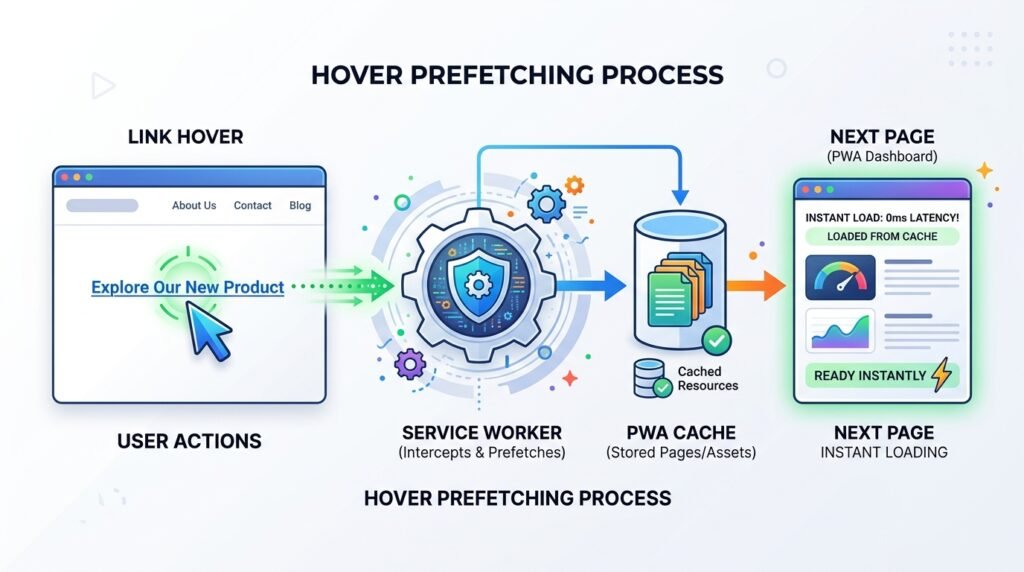
Normally, when a visitor clicks a link on your website, their browser has to request the new page, wait for the server to process the request, and then download the content. This causes a delay.
Link Hover Prefetching speeds this up:
- When a visitor hovers their mouse cursor over a link (or taps it on mobile), it indicates they are about to click it.
- Hyper PWA instantly pre-loads that page in the background.
- When the visitor actually clicks the link, the page loads instantly from the local cache.
2. Key Benefits
- Instant Transitions: Eliminates page load lag between clicks.
- Better User Experience: Smooth, app-like browsing makes your site feel incredibly responsive.
- Higher Conversion Rates: Faster page transitions reduce drop-offs on critical navigation paths.
3. How to Enable the Feature
Once you have upgraded to the Premium version, activating Link Hover Prefetching takes only a few seconds:
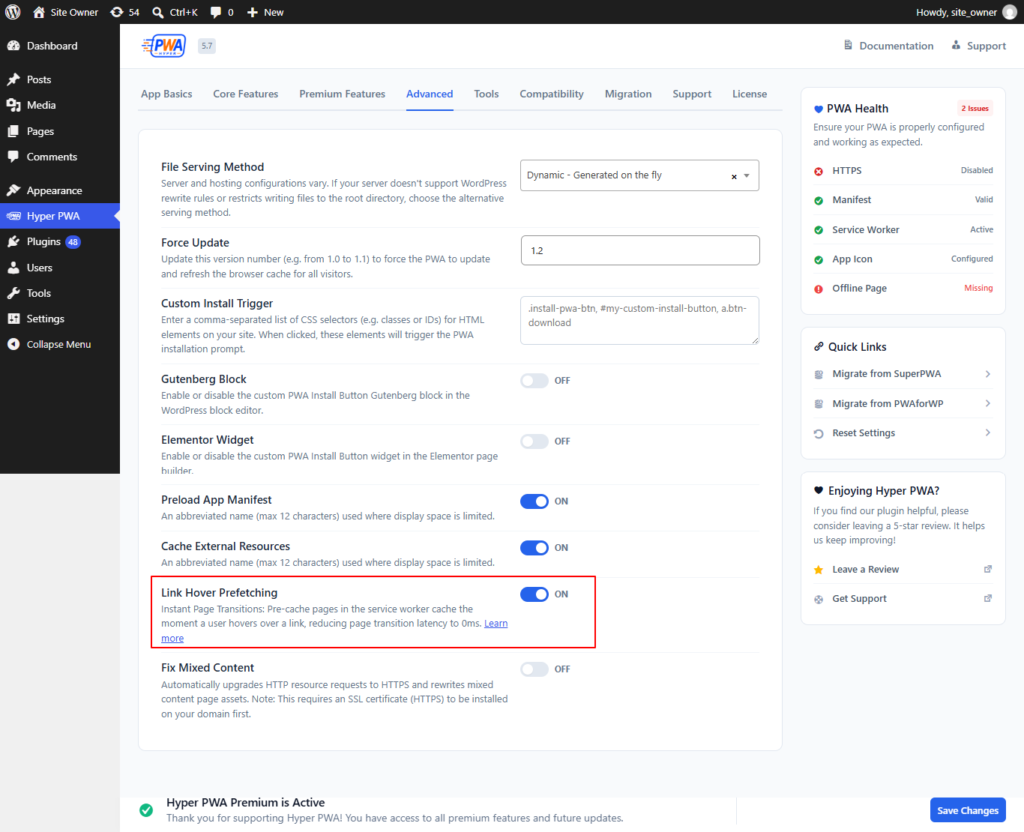
- Open your WordPress Dashboard and go to Hyper PWA > Settings.
- Click on the Advanced tab.
- Find Link Hover Prefetching in the list.
- Toggle the switch to ON.
- Click Save Settings at the bottom of the page.
4. Smart Exclusions
To save server bandwidth and protect your website’s functionality, Hyper PWA automatically ignores the following links:
- External Links: Links pointing to external websites are never preloaded.
- Duplicate Pages: Links pointing to the page the user is already viewing.
- Media & File Downloads: Links to files like
.pdf,.zip,.png,.jpg,.mp3, etc. - Admin Areas: Pages like
/wp-admin/or login screens. - E-commerce Checkout/Cart Pages: To avoid duplicate sessions or cart errors, pages like
/cart/,/checkout/,/my-account/, and dynamic WooCommerce actions are excluded. - Nofollow Links: Any links with a
rel="nofollow"attribute.